A first clip
Write a script that creates a project in the demo app, check it, look at it, and render it.
Serve the demo app first: node docs-src/serve.mjs.
The script#
A script names the page, then lists steps. Each step is one action:
title: Create a project
browser:
  url: http://localhost:5173      # the base for relative goto paths
  viewport: 1280x800              # the page's size in CSS pixels
script:
  - goto: /
  - click: New project            # the visible text of a button or link
  - type: Launch plan
    into: { label: Name }         # the field labelled "Name"
  - click: Create
    id: create                    # a name for markers: create.act, create.end
- wait: { text: "Project created: Launch plan" }gotoloads a page and waits until it has settled (network idle, fonts loaded).clickandtypewait until their target is on screen, still and not covered, move the pointer there like a hand, then act. Typing has a human rhythm, with an occasional typo fixed with Backspace.waitwaits for what the viewer should see, not for a number of seconds.
Save it as first-clip.yaml and check it:
browser-clip validate first-clip.yamlEach problem comes with file:line:col, a code and usually a fix.
Look before you render#
info captures the take and prints the timing; sheet writes a contact sheet of the key moments:
browser-clip info first-clip.yaml
browser-clip sheet first-clip.yaml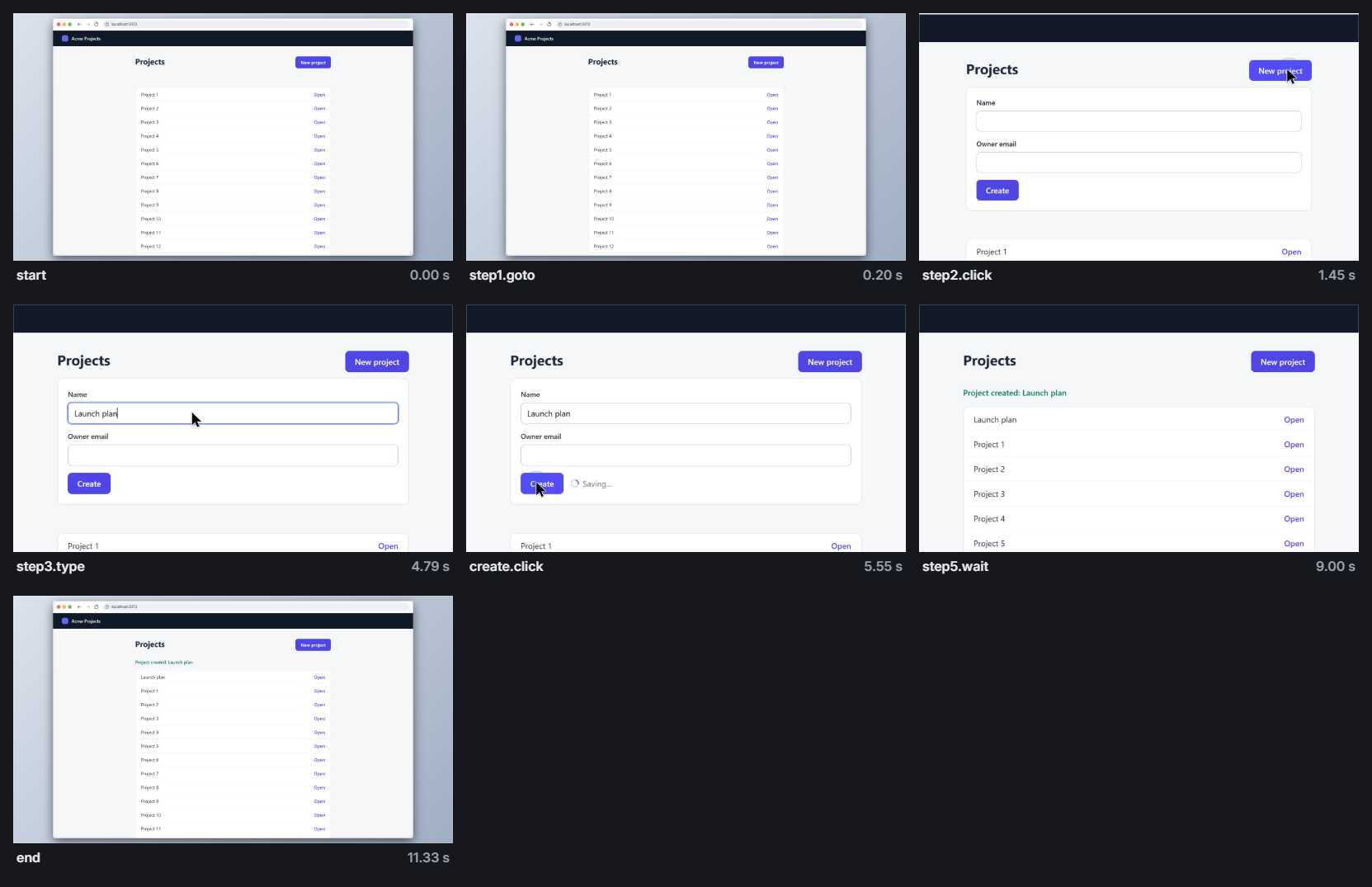
The sheet is the quickest way to check a clip: the wrong page, a step that did nothing, an element cut off.
Render#
browser-clip render first-clip.yamlThe defaults did the filming: an automatic camera that frames each action and opens and ends on the whole window, a macOS-style browser frame, a pointer, and the keyboard sound. The next lessons change them. None of those changes captures again.
Next#
Targets and waits: finding elements reliably, and the targets command.
Source: docs-src/pages/tutorial/01-first-clip.md · browser-clip 0.1.0