The studio
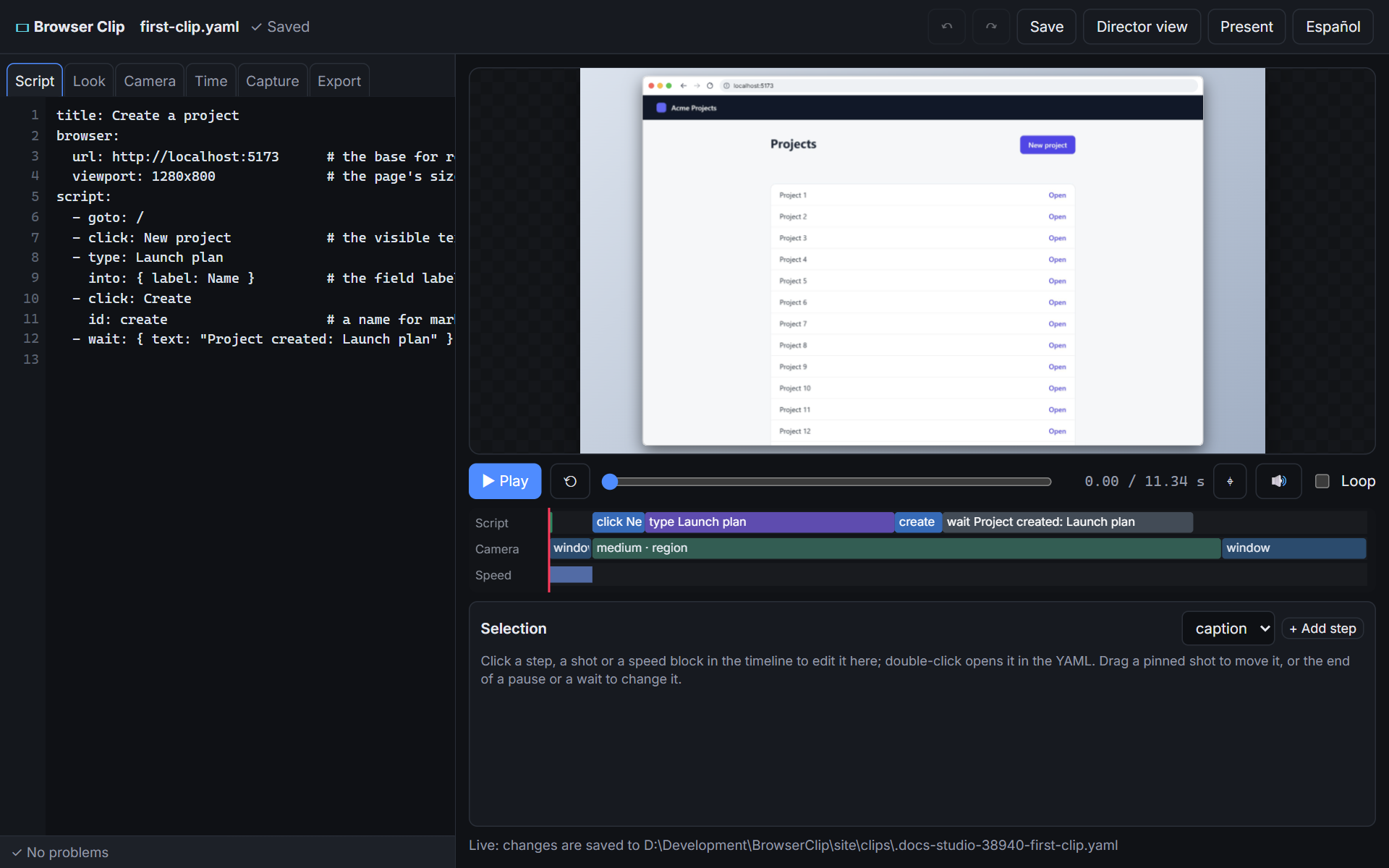
A local page bound to the script file, with the live preview, the YAML editor, forms, a timeline, an inspector and an element picker. Edits there are saved to the file; edits to the file show there.
Open it#
browser-clip studio first-clip.yamlIt opens in your browser. Keep editing the file in your editor, or let an agent do it: the page follows.
What is where#
- Script: the YAML editor with its diagnostics. Undo and redo cover every edit, wherever it came from.
- Look, Camera, Time: forms for the window, the pointer, captions, the camera, the speed, fades and the sound. Each control writes only the key it shows.
- Capture: the settings that change the take. The tab says so.
- Export: MP4, GIF, a PNG of the frame and the contact sheet, next to the script.
- Timeline: steps, camera shots and speed. Drag a pinned shot; drag the end of a pause, a card or a wait to change it.
- Inspector: the selected step, shot or ramp as a form; add, move, duplicate and delete steps.
The preview plays the sound once you have clicked or pressed a key on the page (browsers allow sound only then). 🔊 (M) mutes it.
New takes#
An edit to an action or a capture setting needs a new take. The page keeps showing the last one, dimmed, with a Capture now button: the studio never runs the browser on its own.
The element picker#
⌖ (P) turns on pick mode. The preview goes to the end of the step at the playhead, where the page was recorded; hovering it outlines the element under the pointer with its best target, and a click lists its targets and the steps it allows:
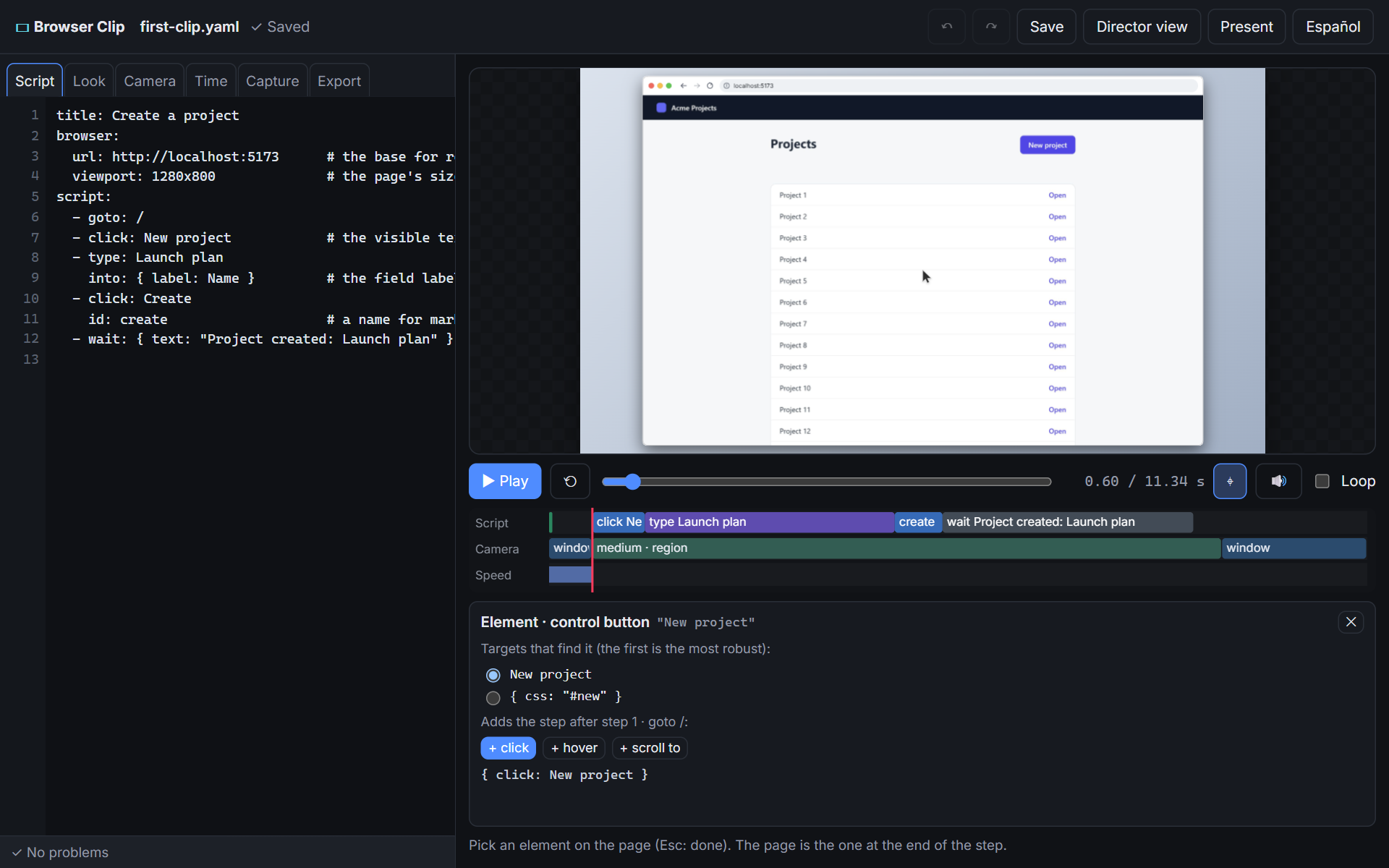
The step goes after the step it was picked at. Then capture the new take.
From the terminal#
ctl drives an open studio, for agents and scripts:
browser-clip ctl first-clip.yaml state
browser-clip ctl first-clip.yaml seek create.act
browser-clip ctl first-clip.yaml still create.end -o check.png
browser-clip ctl first-clip.yaml captureNext#
The guides: real apps, safely, games, vertical clips, montage.
Source: docs-src/pages/tutorial/05-studio.md · browser-clip 0.1.0